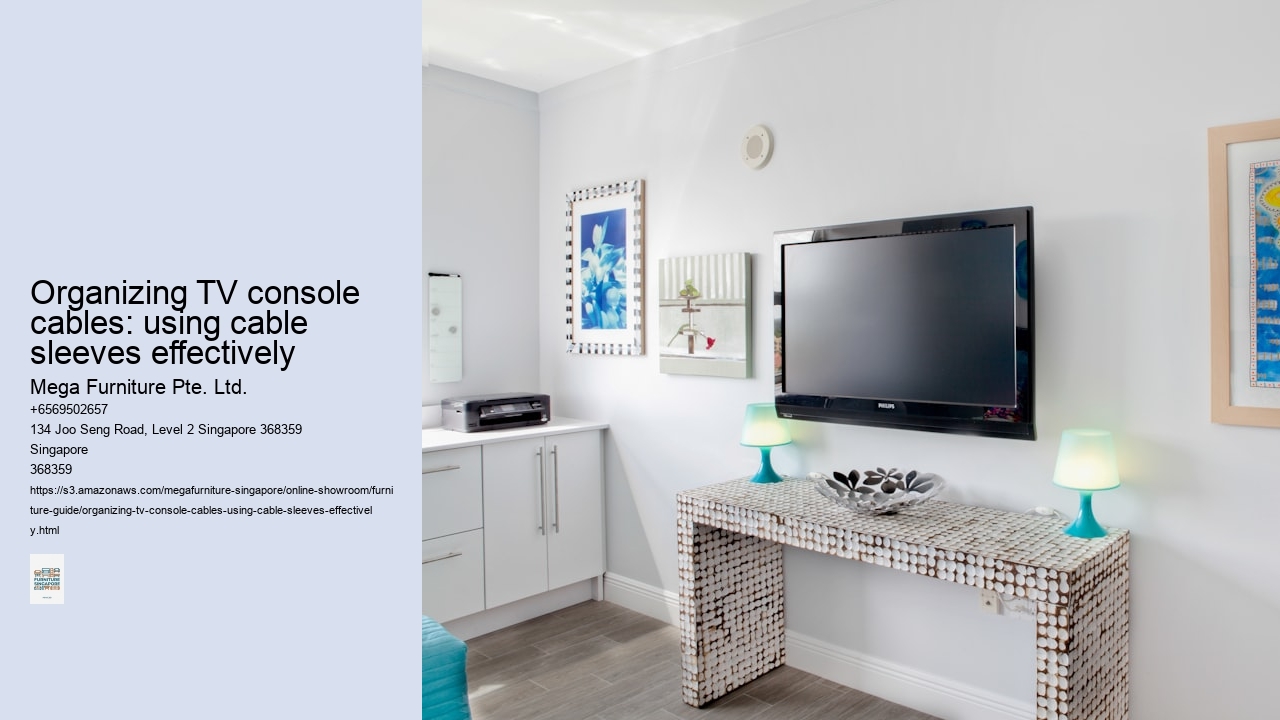
In many Singapore homes, the TV console sits directly under the air-con unit, catching a steady drip of condensation that warps particle board in a single season. That’s why material choice isn’t just about aesthetics—it’s a functional defence against our climate. Solid wood, like kiln-dried rubberwood or oak, handles moisture well because it expands and contracts as a whole piece. Sealed laminates with waterproof edges are a practical alternative, creating a continuous barrier that prevents moisture from seeping into the core. You’ll want to avoid any console built from untreated MDF, especially along the back panel where cables create gaps; in 80% humidity, it acts like a sponge, swelling irreversibly at the first sign of a spill or damp wall. Scratch-resistant finishes are non-negotiable for households with pets. A cat’s leap onto the console top or a dog brushing past its legs will leave marks on a soft, matte lacquer. Look for terms like ‘anti-scratch laminate’ or ‘catalysed lacquer’—these harder surfaces resist the fine claw marks and scuffs that are inevitable in a busy family living room. The finish should extend to the sides and legs, not just the show surface, because that’s where most accidental contact happens. For the structural hardware, stainless steel legs aren’t a luxury; they’re a necessity. Chrome-plated or painted steel legs on a floor-standing console will inevitably rust in our humid conditions, starting as tiny bubbles under the paint that spread from the floor up. Stainless steel, while often a higher upfront cost, prevents this entirely, maintaining a clean look even in a ground-floor condo or a poorly ventilated HDB corner. It’s a detail that separates a console that lasts five years from one that lasts fifteen. This focus on resilient materials naturally extends to the console’s interior, where cable management sleeves and clips should be made from PVC or silicone that won’t degrade or become tacky. A well-organised
TV console collectionconsiders these unseen elements, ensuring the entire unit is built for the local environment. After all, a console that warps or rusts will make even the neatest cable organisation look shabby.
The most common misstep isn't a lack of decor, but a surplus of it. Buyers fill every centimetre of open shelving on a two-metre console with picture frames, plants, and trinkets, creating a dense wall of visual noise that makes a narrow HDB hall feel even more cramped. It's a classic case of good intentions gone awry; each item might be meaningful, but collectively they cancel each other out. The result is a space that feels perpetually busy and cluttered, rather than curated and calm. A better approach is to treat open shelves like a gallery wall, leaving generous negative space between a few larger, impactful pieces.
That sleek, wall-mounted console looks perfect for a minimalist media wall, but its installation is far from simple. Many BTO flats feature partition walls that are essentially plasterboard over a metal frame, incapable of supporting significant weight without proper reinforcement. Mounting a loaded console onto such a wall is an invitation for disaster—it might hold for months, then detach without warning. The crucial step, often skipped in the excitement of a new setup, is verifying the wall's core material and its load-bearing capacity with a contractor or using a stud finder. Never assume your wall is solid; in many newer builds, it likely isn't.
Even on a verified solid wall, improper mounting hardware creates dangerous point loads. Using generic plastic plugs or anchors meant for picture frames to hold a 180cm console filled with a soundbar and gaming consoles is a recipe for failure. The sheer leverage of a long, loaded unit demands heavy-duty metal toggle bolts or concrete anchors that spread the weight across a broader area. It's a technical detail that feels tedious, but it's the difference between a secure installation and one that gradually pulls away from the wall. For peace of mind, consider hiring a professional handyman—it's typically a $80 to $150 job that safeguards a much larger investment.
Effective shelving is about rhythm and restraint. Instead of lining up a dozen small objects, group two or three items of varying heights and textures together to form a single visual unit. This creates intentional vignettes that guide the eye, rather than scattering it. In a 4-room BTO living room, this approach makes the console feel like a designed element, not a catch-all shelf. Leave at least 30 to 40 percent of the shelf surface bare; this negative space is what gives your favourite pieces room to breathe and be appreciated.
Overcrowding isn't just about decor—it includes the tangle of cables that inevitably accumulates behind the console. An overloaded shelf often means a mess of visible power strips, HDMI cords, and charger wires snaking down the wall, which utterly defeats the clean look of a floating unit. Proper cable management, using sleeves or raceways, is non-negotiable for maintaining the intended aesthetic. It's the final, often overlooked step that separates a professional-looking installation from a haphazard one; you've gone to the trouble of mounting it properly, so don't let a bird's nest of cables ruin the effect.
Behind that sleek console back panel, there’s a familiar tangle of black spaghetti—power bricks, HDMI leads, LAN cables—all fighting for space and collecting dust bunnies. It’s the hidden chaos that turns unplugging a game console into a 10-minute archaeology dig.
Flexible nylon cable sleeves offer a fix. You’ll bundle the cords from your media player, soundbar, and router into a single, manageable trunk that routes neatly up the console’s rear cavity. This isn’t about hiding cables so much as organising them; the sleeve corrals everything into a defined channel, preventing individual wires from snagging on shelf brackets or each other. For a typical setup in a 4-room BTO, you might need a sleeve around 1.5 metres long to handle the run from a wall socket to the console’s central compartment.
The practical benefit is twofold. Tangling is minimised, which makes swapping out an old HDMI cable for a new 8K model a simple task of threading one sleeve, not untangling five separate cords. More critically, it drastically cuts down on dust accumulation in that prized concealed storage bay where your PlayStation and router live—in many homes, that compartment becomes a static-charged dust trap without some form of cable management. A sealed sleeve keeps the interior cleaner and reduces how often you need to pull everything out for a wipe-down.
Integration is straightforward, but requires forethought. You’ll want to measure the total bundle diameter before buying sleeves; an overstuffed sleeve defeats the purpose. The best practice is to install them after your devices are positioned but before you push the console flush against the wall, leaving a little slack at both ends for movement. It’s a five-minute job that pays off every time you need to access the ports.
Some buyers overlook this, focusing only on drawer dividers and open shelving, but the real test of a console’s organisation happens in the dark, out of sight. A few sleeves turn that cable jungle into a manageable system, preserving both your sanity and the lifespan of your connectors. For those planning a media wall in a condo or a comprehensive living room overhaul, this detail separates a temporary fix from a lasting solution.
A console that looks perfect online can feel entirely wrong in your living room. The advertised depth might claim to fit a PS5, but that's just a number on a screen — you need to see the actual cavity, measure it with your own tape, and verify the back panel clearance for all those power bricks and HDMI ports. Online images rarely capture the subtleties of material finishes, either; a "walnut tone" laminate can range from a warm, realistic grain to a flat, orangey veneer that clashes with your existing teak floor.
That's where a showroom visit becomes critical. At a physical space like Megafurniture's Joo Seng or Tampines locations, you can run your hand over the sintered stone top to check for coolness and smoothness, or test the drawer glide mechanism — a soft-close feature feels luxurious, but a cheap, rattling runner on a unit you'll open daily is a genuine annoyance. You'll assess cable management sleeves and grommets firsthand, judging whether they're truly wide enough to bundle a router cable, a soundbar power cord, and a gaming HDMI line together without a frustrating squeeze.
For families in a 4-room BTO upgrading to a 65-inch TV, the console's proportional length is just as vital. A 180cm model might look balanced under a large screen in a spacious condo media wall, but in a more compact HDB layout, it could overwhelm the space and block natural pathways. Seeing it on the floor, in a real room setting, lets you visualise its footprint against your own walls and doorways. You can also check the stability of a floating design or the solidity of a wall-mounted frame — things that photos simply can't convey.
It’s the final step before committing, especially for a piece that anchors your entertainment centre and hides the visual clutter of modern tech. A brief trip to a showroom turns speculative online shopping into a confirmed purchase, saving you the hassle of a return over a mismatched shade or an incompatible depth. You can browse the full range of options, from compact media units to expansive wall systems, at Megafurniture's collection and make a choice you won't second-guess after delivery.
The delivery team will hump that 200cm solid wood TV console up four flights of stairs, no lift access charge added — it’s a standard expectation for many older HDB blocks in neighbourhoods like Toa Payoh or Queenstown. That’s a logistical reality for resale flats, and most local retailers factor it in, though you’d still want to confirm the crew size for anything over 180kg. Assembly, however, is where your own tolerance for frustration gets tested. While floor-standing models with screw-on legs are often manageable for two people, the real consideration is wall-mounted units, especially the floating console that’s become a favourite for media walls in BTOs. Self-assembly is technically possible with the provided cam locks and brackets, but getting a perfectly level, secure installation on a plasterboard feature wall is another matter entirely; professional assembly, which typically adds $80 to $150, is money well spent to avoid a catastrophic tilt.
Warranties on these pieces are fairly specific. The structural frame — the cabinet carcass, internal shelving, and mounting hardware for floating consoles — is typically covered for 12 months from delivery. This coverage acknowledges that a poorly manufactured joint or bracket failure is a genuine defect. It won’t, however, cover the inevitable surface wear: the fine scratches from sliding game consoles, the faint water ring from a forgotten tumbler, or the slight colour shift in direct sunlight from a west-facing window in a condo.
That distinction matters because the warranty implicitly guides your maintenance. You’ll want to use felt pads under every device, keep polishing cloths handy for the sintered stone or lacquered MDF top, and be mindful of humidity, which can subtly affect even engineered wood over Singapore’s endless summers. It’s a practical document, not a promise of perfection.
For the full range of wall-mounted, floor-standing, and floating designs suited to 40- to 75-inch TVs, you can browse the TV console collection at Megafurniture. Their showrooms in Joo Seng and Tampines let you assess the heft and finish in person, which is advisable before committing to a centrepiece for your living room wall. Just remember to measure your lift lobby width if you’re in a newer block — that 240cm console might fit the wall, but getting it to the door can be its own puzzle.
The most common buyer anxiety isn't about colour or finish; it’s about whether their new console will actually work with the existing hardware in their home. That’s where the practical, Singapore-specific questions surface, often after the tape measure is put away.
What’s the right height for a floor-cleaning robot? You want that gap between the console legs to be at least 12cm, maybe 15cm for the bulkier models. Anything lower and you’re committing to weekly, hands-and-knees retrieval missions from under the cabinet — a chore that defeats the robot’s entire purpose. It’s a simple clearance check that saves a lot of frustration.
Clearance from a split-system AC unit is another frequent oversight. Mounting a console directly beneath the indoor blower is asking for trouble. Condensation from the unit’s drain line can drip, or worse, a minor leak can pool directly onto your cabinet. A minimum 30cm lateral gap is a sensible buffer, and if you must place it below, ensure there’s at least 50cm of vertical space — enough to spot any moisture issue before it ruins the engineered wood veneer.
Then there’s the Wi-Fi killer: stuffing the router into a fully enclosed compartment. A solid timber or sintered stone back panel will decimate your signal, leaving you with buffering in the study and dead zones in the master bedroom. If router storage is a must, look for consoles with a dedicated, ventilated compartment with a perforated metal or mesh rear panel, or at the very least, a large cable grommet at the back to thread the antennas out.
These aren’t design flaws, just mismatches. A console that looks perfect in a Tampines showroom might fail in your four-room BTO layout because nobody thought to ask where the AC unit was. The best purchase marries the dimensions on the spec sheet with the real contours of your living room wall.
The excitement of unboxing a PS5 or a new AV receiver can evaporate quickly when you realise your chosen console is five centimetres too shallow. That sleek, low-profile design you loved in the showroom suddenly can't accommodate your planned tech stack. Before you commit, lay out your equipment list—console, receiver, cable box, maybe a soundbar—and measure each item's depth, adding a good 5–8cm for cable clearance and ventilation at the back. A 45cm deep console might look substantial, but it's often the bare minimum for modern AV gear; you'll find many models at Megafurniture's collection push past 50cm for this exact reason.
Next, measure your wall. In a 4-room BTO living room, the clear wall length between a feature wall and a doorway might be just 280cm. Deduct space for existing furniture: a three-seater sofa set typically needs 90–100cm of depth from the wall, and you'll want walking room behind it. Your ideal console length isn't just about TV proportion—a 65-inch TV suits a 180–200cm console—it's about what fits without crowding the room's flow. That extra 30cm of overhang on either side can make a narrow space feel claustrophobic.
Stability is a silent concern, especially on polished marble or ceramic tile common in condo entries or open-plan living areas. A floor-standing console loaded with heavy electronics becomes a tipping hazard if a toddler uses an open shelf as a step. Check the unit's weight and the design of its feet; wider, flared legs or a solid plinth base offer far more security on slick surfaces than four narrow, polished metal pins. Some buyers even add discreet anti-slip pads under the feet for extra peace of mind.
Finally, do a physical mock-up. Use masking tape on the floor to outline the console's footprint and place boxes or books where your major components will sit. Live with that outline for a day—walk around it, see how it affects your path to the balcony or dining area. It’s a tedious step, but it’s the only way to catch the spatial conflicts that a tape measure alone will miss, saving you the hassle of returning a piece that just doesn't work in your actual space.
A 50-inch TV on a 120cm console looks balanced in a 4-room BTO living room; a 75-inch screen on that same console looks like it's about to topple over. The proportions are off, and the mismatch throws the whole media wall design into disarray. A Bookshelf earns its place in Singapore homes through dual function — book and decor storage in the open shelves, soft visual division when placed mid-room in open-plan condominium layouts. A TV console anchors the wall opposite the sofa in the same way a tall bookshelf anchors a corner — long horizontal piece, mix of open and closed storage, defines the visual weight of one whole side of the room. Megafurniture's TV Console range covers floating wall-mounted designs, low-profile freestanding consoles, and modular feature-wall configurations. Most pieces sit at 40-50cm height, sized for screens up to 75 inches.. Megafurniture's combined display unit and bookshelf hub covers tall book racks, cubby-hole designs, ladder shelves, modular cube systems, and glass-door pieces in oak, walnut, and MDF veneer finishes. Solid-wood pieces typically start around $425, with most heights spanning 120cm to 220cm to fit standard 2.6m HDB ceilings.. That's why console length isn't just about fitting the cabinet against a wall - it's the foundational scale for the room's focal point, dictating whether your setup feels intentional or like an afterthought.
For the typical 50 to 65-inch screens found in HDB and condo living rooms, console lengths between 150cm and 180cm are the standard workhorses. They provide enough surface to visually anchor the TV without overwhelming a 12 to 16 sqm space, and they offer sufficient concealed storage for a soundbar, media player, and gaming console. Shorter units around 120cm can work for a compact 50-inch setup in a tight corner, but they'll leave little room for decorative elements like books or plants that soften the tech-heavy look.
Upgrading to a 70 or 75-inch screen, often in a larger resale flat or a landed property's 20 sqm family room, demands a more substantial base. Here, consoles stretching from 200cm to 240cm become necessary - they create that desirable media wall effect where the furniture feels integral to the architecture, not just parked beneath it. A longer console also distributes storage, allowing you to dedicate one end to AV equipment and the other to family clutter like board games or remote controls, all behind closed doors.
The choice ultimately hinges on your wall's clear space and the visual weight you want to commit. A floating console in a light oak finish can make a 200cm length feel less imposing in a condo, while a floor-standing unit in dark walnut adds grounding heft. Display cabinets sit between bookshelf and storage cabinet in function — closed glass-front protection for the items you want visible but not collecting dust. Megafurniture's Wine Cabinet range covers glass-front, curio, wall-mounted, and freestanding configurations in solid wood, MDF, and metal-framed constructions. Average pricing for glass-front variants sits around $271, with LED-lit and motorised-shelf models commanding the higher tier.. It's a common misstep to buy for the TV's width alone; you'll want at least 15 to 20cm of console extending beyond each side of the screen for a composition that feels settled and complete.
A 50-inch TV on a 120cm console looks balanced in a 4-room BTO living room; a 75-inch screen on that same console looks like it’s about to topple over. The proportions are off, and the mismatch throws the whole media wall design into disarray. That’s why console length isn’t just about fitting the cabinet against a wall — it’s the foundational scale for the room’s focal point, dictating whether your setup feels intentional or like an afterthought.
For the typical 50 to 65-inch screens found in HDB and condo living rooms, console lengths between 150cm and 180cm are the standard workhorses. They provide enough surface to visually anchor the TV without overwhelming a 12 to 16 sqm space, and they offer sufficient concealed storage for a soundbar, media player, and gaming console. Shorter units around 120cm can work for a compact 50-inch setup in a tight corner, but they’ll leave little room for decorative elements like books or plants that soften the tech-heavy look.
Upgrading to a 70 or 75-inch screen, often in a larger resale flat or a landed property’s 20 sqm family room, demands a more substantial base. Here, consoles stretching from 200cm to 240cm become necessary — they create that desirable media wall effect where the furniture feels integral to the architecture, not just parked beneath it. A longer console also distributes storage, allowing you to dedicate one end to AV equipment and the other to family clutter like board games or remote controls, all behind closed doors.
The choice ultimately hinges on your wall’s clear space and the visual weight you want to commit. A floating console in a light oak finish can make a 200cm length feel less imposing in a condo, while a floor-standing unit in dark walnut adds grounding heft. It’s a common misstep to buy for the TV’s width alone; you’ll want at least 15 to 20cm of console extending beyond each side of the screen for a composition that feels settled and complete.